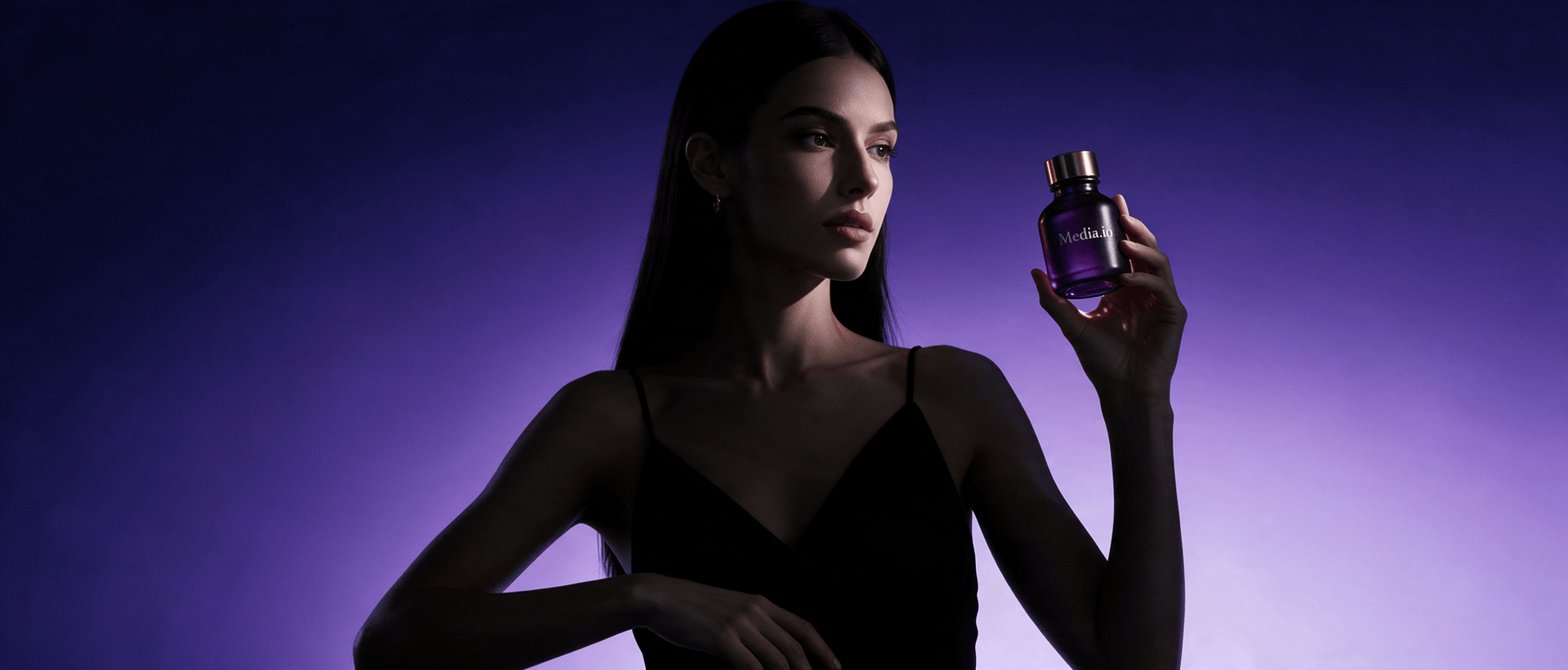
Gerador de Comerciais com IA
Transforme imagens de produtos, URLs de produtos e ideias de campanha em vídeos comerciais refinados com IA. O Media.io ajuda marcas a criar anúncios cinematográficos de produtos, comerciais de lifestyle, promos baseados em recursos e vídeos de campanha curtos sem precisar começar cada conceito com uma produção completa.
Adicione seu produto, escolha uma direção comercial, revise o roteiro quando necessário e gere o vídeo da sua campanha.
Crie Comerciais de Produtos Sem uma Equipe de Produção Completa
Um comercial deve fazer mais do que mostrar um produto. Ele deve estabelecer um clima visual, comunicar um benefício e dar ao espectador um motivo para lembrar da marca. O Media.io ajuda a transformar ativos de ecommerce e ideias de campanha em imagens cinematográficas de produtos, cenas de lifestyle, promos orientados por recursos e comerciais de marca em formato curto que são mais fáceis de produzir e testar.
Por que Usar o Gerador de Comerciais com IA do Media.io?
Passe de ativos de produto para um conceito comercial mais forte mantendo o controle sobre o produto, estilo visual, roteiro e mensagem da campanha.
Transforme Ativos de Produto em Anúncios Cinematográficos
Comece com imagens do produto, uma URL de produto compatível ou ambos. Crie conceitos comerciais com foco em imagens principais do produto, revelações dramáticas, primeiros planos, cenas de lifestyle, ambientes premium ou outras direções de campanha visualmente orientadas.
01Construa um Comercial em Torno de Uma Mensagem Clara
Concentre o anúncio em um benefício principal, recurso do produto, caso de uso, apelo emocional ou promessa da marca em vez de tentar explicar tudo de uma vez. Isso torna os comerciais curtos mais fáceis de entender e testar.
02Revise o Roteiro Antes da Geração
Use o Modo Guiado quando o texto da campanha, as afirmações sobre o produto, o tom ou o CTA precisarem de controle mais rigoroso. Revise e refine o roteiro gerado antes de confirmar o vídeo final.
03Crie Mais Conceitos Comerciais Mais Rapidamente
Explore direções premium, de lifestyle, demonstração de produto, problema-solução, depoimento ou lideradas por criadores a partir dos mesmos ativos de produto para que sua equipe possa comparar mais ideias de campanha sem organizar múltiplas produções.
04Como Criar um Comercial com IA em 3 Passos
Transforme seu produto e ideia de campanha em um comercial curto sem planejar manualmente cada cena.
Adicione Seu Produto
Faça upload de imagens do produto, adicione uma URL de produto compatível ou use ambos. Confirme os recursos do produto, benefícios e detalhes da marca que você deseja que o comercial comunique.
Escolha a Direção do Comercial
Selecione um anúncio cinematográfico de produto, comercial de lifestyle, vitrine de recursos, história de problema-solução, depoimento ou conceito liderado por criador. Use o Modo Guiado quando quiser revisar o roteiro antes da geração.
Gere e Revise o Comercial
Gere o vídeo, revise a aparência do produto, a mensagem da marca, as afirmações, o CTA, os preços e outros detalhes da campanha, depois exporte a versão do comercial que deseja testar ou publicar.
Cenários Populares de Comerciais com IA
Comerciais de Lançamento de Produto
Apresente um novo produto com uma imagem principal clara, revelação do produto, benefício principal e mensagem de campanha para páginas de lançamento, mídia paga, ecommerce ou canais da marca.
Anúncios de Marca Lifestyle
Mostre o produto em um contexto mais aspiracional construído em torno de atmosfera, público, ocasião, identidade ou uso cotidiano em vez de depender apenas de imagens isoladas do produto.
Comerciais de Recursos e Benefícios
Crie um anúncio focado em um recurso, benefício, transformação ou problema que o produto resolve — útil ao testar diferentes mensagens de campanha do mesmo SKU.
O Que Dizem os Profissionais de Marketing de Marca e Ecommerce
Mais Conceitos Antes da Produção. Posso comparar várias direções comerciais antes de decidir qual ideia de campanha merece um orçamento de produção maior.
Ótimo para Lançamentos de Produto. Nos dá uma forma mais rápida de transformar ativos de produto em conceitos de lançamento sem reconstruir cada comercial do zero.
Útil para Teste de Mensagens. Podemos testar ângulos premium, de lifestyle e orientados por recursos do mesmo produto em vez de tratar cada anúncio como uma produção separada.
Perguntas Frequentes sobre o Gerador de Comerciais com IA
O que é um gerador de comerciais com IA?
Um gerador de comerciais com IA ajuda a transformar ativos de produto, informações da marca e ideias de campanha em conceitos de vídeo publicitário. Pode ser usado para anúncios cinematográficos de produtos, comerciais de lifestyle, vitrines de recursos, vídeos promocionais e outras campanhas de marca em formato curto.
Posso criar um comercial de produto a partir de uma URL de produto?
Sim. O Gerador de Anúncios com IA do Media.io suporta fluxos de trabalho com URL de produto junto com imagens de produto enviadas. Isso pode fornecer contexto adicional do produto para o conceito do comercial, mas você deve verificar as informações extraídas, preços e afirmações antes de publicar o vídeo final.
Que tipos de comerciais com IA posso criar?
Você pode criar comerciais focados em produto, anúncios de lançamento cinematográficos, promoções de lifestyle, vídeos orientados por recursos, demonstrações, conceitos de problema-solução, depoimentos e anúncios liderados por criadores. O formato mais adequado depende do produto, do público, do objetivo da campanha e do canal.
Posso usar um gerador de comerciais com IA para anúncios em redes sociais?
Sim. Os conceitos comerciais gerados por IA podem ser adaptados para TikTok, Instagram Reels, Shorts, páginas de ecommerce, campanhas de mídia paga e outros espaços em formato curto. Revise a proporção final, a duração, as afirmações e o CTA para a plataforma onde você planeja publicar.
O que devo revisar antes de publicar um comercial gerado por IA?
Revise a aparência do produto, logotipos, nomes de marca, preços, afirmações de desempenho, declarações comparativas, depoimentos, consistência visual e linguagem do CTA. O comercial final deve representar com precisão o produto e estar em conformidade com as regras de publicidade atuais do canal onde será veiculado.